
Book without double-booking
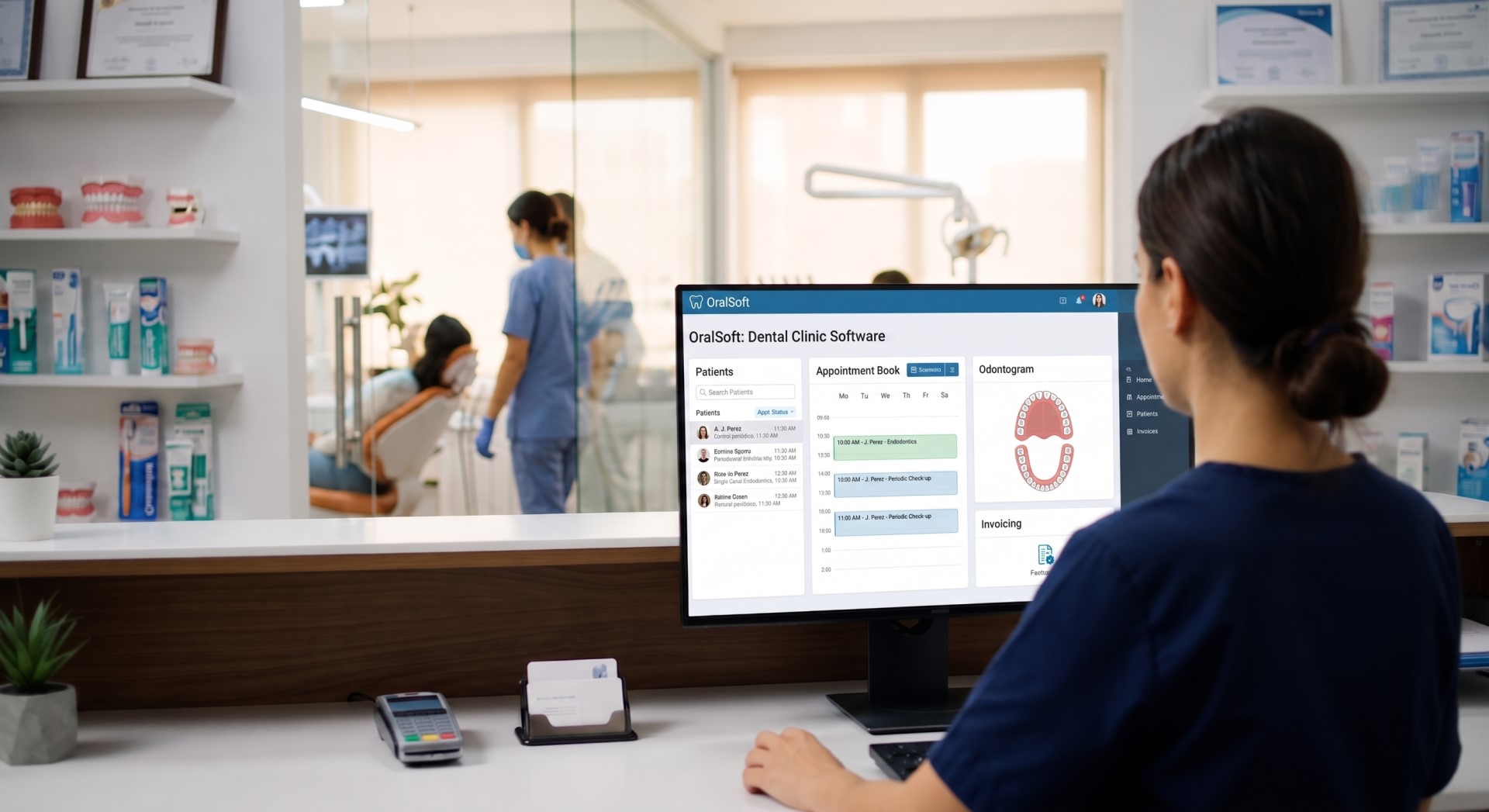
The schedule shows the day, the week, one practitioner or one chair, and you reschedule by dragging. Two appointments cannot hold the same chair at the same time: the database prevents it, not a warning on screen.
Free 7-day trial · no card required
The whole dental practice, in one place.
OralSoft is the dental software a clinic uses to run scheduling, clinical records, the odontogram, treatment plans, cash and inventory in one place and on the same data. Built for dental clinics and dental offices, from a single practice to a multi-site group.
No lock-in and no card to get started. Your data is yours, and you can take it with you at any time.
This strip must not go live with placeholders: replace them with clinics that have given written permission.
The three things a dental practice does every day, in one program and on the same data: book the appointment, record what was done, and get paid for it. Everything else is built on top of those three.
The schedule shows the day, the week, one practitioner or one chair, and you reschedule by dragging. Two appointments cannot hold the same chair at the same time: the database prevents it, not a warning on screen.
Clinical records with an odontogram and a periodontal chart, in FDI / ISO 3950 notation. A signed note is amended, never rewritten, and a voided finding is struck through: a clinical record is a record, not a draft.
Estimates with the price frozen the moment they are presented, payment at the front desk, and cash shifts with a count and a close. Patient balances are always computed; there is no stored figure that can drift out of date.
Modules
No half-finished modules and no screens that promise what they don't do. This is what is built and tested.
Day, week, practitioner or chair views, with drag-and-drop rescheduling. The waiting room is derived from who has arrived and has not been seen yet, so nobody has to remember to mark it.
Visual odontogram covering adult, primary and mixed dentition. A voided finding is struck through, not deleted: a clinical record is a record, not a draft.
Prices are frozen the moment the estimate is presented: changing your fees tomorrow does not rewrite what was agreed today. Patients decide line by line, at the front desk or through a link they open at home.
Cash shifts with opening, count and close. Payments are allocated automatically by age and the balance is always computed: there is no stored figure that can drift out of date.
Take your complete records whenever you want, in a documented format of our own. Included in both plans, and available even while a subscription is suspended.
Receipts, adjustments, transfers between sites and physical counts. Each procedure can carry its own material recipe, so carrying out a treatment draws down what it consumed.
Rules per practitioner and procedure, with effective dates. Commission accrues on what was actually collected and allocated, not on what was invoiced: if the patient did not pay, there is nothing to settle.
Margin by procedure, occupancy by site and chair, and cash flow against accrual. Three questions a practice asks at month end and has been answering by hand until now.
A closed, useful set of segments: lapsed patients, treatments accepted but not carried out, birthdays this month, people with no upcoming appointment. Every campaign is previewed before it goes out.
Sites with their own time zone, chairs and inventory, under a single practice. The schedule always shows the site's clock, never the viewer's.
OralSoft is cloud-based dental software: it opens in the browser on any computer in the clinic, with a username and a password. There is nothing to install and no server in the back room that the practice depends on.
You sign in from the browser. No installer, no per-seat licences, and no different versions on each front-desk computer — which is where half the trouble with installed software comes from.
Data is copied every night to storage that is not the machine serving the application, and the copy is verified. A backup that has never been restored is not a backup: it is a folder.
New versions arrive on their own; there is no install afternoon with the schedule blocked out. Every clinic runs the same version, so what gets fixed is fixed for everyone at once.
The same practice management software for dental offices whether you are one practitioner with one chair or a group with several sites: each site keeps its own time zone, chairs and inventory, under a single practice and one patient directory.
Not on the list? Subscription billing is not tied to any one payment provider, so write to us and we'll look into it.
The interface is currently in Spanish. The website is bilingual; the application itself is not.
Plans
Both start with a 7-day trial. You move up when the practice grows, not when the renewal comes round.
Independent clinics and small practices
What it takes to see patients: scheduling, clinical records, estimates and cash.
Ask for pricing
Pricing depends on country and number of sites. Write to us and we'll tell you yours.
Start free trialHigher-volume practices and multi-site groups
Everything in Professional, plus inventory, commissions, analytics, campaigns and multiple sites.
Ask for pricing
Pricing depends on country and number of sites. Write to us and we'll tell you yours.
Start free trialPlan comparison
| Module | Professional | Enterprise |
|---|---|---|
| Scheduling and waiting room | Included | Included |
| Clinical records, odontogram and periodontal chart | Included | Included |
| Treatment plans and estimates | Included | Included |
| Cash, payments and allocation | Included | Included |
| Clinical record export | Included | Included |
| Inventory, lots and consumption | Not included | Included |
| Practitioner commissions | Not included | Included |
| Management analytics | Not included | Included |
| CRM and campaigns | Not included | Included |
| Multiple sites | Not included | Included |
Security
Clinical software holds health data. This is what OralSoft does so that one clinic's records can never be seen from another.
Isolation is enforced by PostgreSQL row-level security, not by application code. With no clinic context set, a query returns nothing: it fails closed. The account the software runs under cannot bypass that rule, not even as the owner of the tables.
Every change is recorded with who, when, from where and how it looked before. The trail is written by the database itself and the application can only append: it cannot alter or delete what is already there.
Records are kept for the periods each country's regulations require — in Colombia, 15 years at minimum and up to 22 in particular cases. Voiding an entry strikes it through; it does not erase it.
Full export is included in both plans and stays available even while a subscription is suspended for non-payment. Holding a clinic's records hostage over a commercial debt is indefensible.
What people ask most before getting started. If yours is missing, write to us.
Pricing depends on the country and the number of sites, so we tell you yours when you write to us. Both plans start with a 7-day trial and no card is needed to begin.
There is a 7-day free trial, with your own practice and real patients, and no card. What there is not is a permanently free tier, and we would rather say so up front: software that holds clinical records has to sustain backups, an audit trail and retention for fifteen years, and that is not something you keep running for free. If you were looking for free dental practice software to get started at no cost, the trial is exactly that.
No. OralSoft is cloud-based dental software: it opens in the browser with a username and a password. There is no installer to download and no server to maintain at the clinic, and no different versions on each front-desk computer — which is where half the trouble with installed software comes from.
Yes, and without asking permission. Full export of clinical records is included in both plans, in a documented format of our own, and it stays available even while a subscription is suspended for non-payment. Holding a clinic's records hostage over a commercial debt is indefensible.
Isolation is enforced by PostgreSQL row-level security, not by application code. With no clinic context set, a query returns nothing: it fails closed. The account the software runs under cannot bypass that rule, not even as the owner of the tables.
No. OralSoft is dental management software: scheduling, clinical records, odontogram, estimates, cash, inventory, commissions and reporting. It does not design prosthetics or smiles, it is not CAD/CAM and it does not process intraoral scanner images. If that is what you need, this is not the program, and we would rather you knew now than during a demo.
Yes, on the Enterprise plan. Each site keeps its own time zone, chairs and inventory under a single practice, with one patient directory and reports broken down by site.
7 days with your own practice and real patients: we set up your workspace, load your procedure catalogue and you use it at the front desk. If it doesn't fit, you take your data with you.
Or write to us at info@oralsoft.net